
Your roadmap has no shortage of ideas. Sales wants a new feature. Support wants fewer questions. The product team wants to simplify the interface. Each request sounds reasonable. Which one deserves the next investment?
UX research helps you understand the people using your product, the tasks they need to complete and the obstacles in their way. For an established business or SaaS team, its value is practical: evidence that helps you choose what to build, improve or leave alone.
The starting point is a decision. Before arranging interviews or sending a survey, ask what you need to learn—and what you would do differently once you know.
What is UX research—and when is it useful?
User experience research is the systematic study of people’s needs, behaviours and experiences in relation to a product or service. It can explore a problem before a solution exists or evaluate how well an existing experience works.
That makes it useful before a major investment, during design and after launch. You might investigate why customers still call to complete a supposedly self-service task, whether a proposed workflow fits their responsibilities, or where a new interface leaves them uncertain.
Research cannot remove every uncertainty. It should make the important ones visible enough for the team to make a considered decision.
Start with a decision, then write the research question
“We need to understand our users” is too broad to guide a useful study. “Should we prioritise account setup or reporting in the next release?” gives the work a purpose.
Consider a hypothetical B2B SaaS product whose customers export data to spreadsheets. One team proposes a dashboard redesign. Another wants an AI reporting assistant. Before choosing either, investigate the work behind the export.
Useful questions include: What happens to the data after it leaves the product? Who uses the resulting report? What information is missing? Which steps require checking or reformatting?
The findings could point to an export improvement, a missing integration or a workflow shared with colleagues who never use the product. Each possibility implies a different scope. Research earns its place by helping the team distinguish between them.
Choose a UX research method that fits the question
Different methods answer different questions. Nielsen Norman Group’s guide to research methods distinguishes reported attitudes from observed behaviour, and qualitative understanding from quantitative measurement. Use those distinctions to choose evidence that can actually inform your decision.
Interviews: understand the work and its context
Use interviews to explore goals, constraints and recent experiences. Ask someone to walk through the last time they completed a task. Concrete examples provide a stronger starting point than asking which features they might like in the future.
Observation: see the process around the product
Watch how a task happens in its real setting. Look for handovers, interruptions and tools outside your application. This is particularly useful for internal systems and B2B products, where a screen may represent only one step in a longer process.
Usability testing: evaluate a specific experience
Give representative participants a realistic task using a product or prototype, then observe where they succeed, hesitate or get stuck. NN/G’s usability testing introduction explains this task-based approach. Asking whether someone likes a screen answers a different question.
Analytics and surveys: investigate patterns at a broader scale
Analytics can identify patterns in recorded behaviour; surveys can gather structured self-reported information. Neither automatically explains the cause of a problem. Check what was measured and who is represented before drawing conclusions.
Recruit the people who actually face the problem
“Our customers” is rarely a single audience. The person buying a platform may be different from the administrator setting it up or the operator using it every day.
Define participants by relevant behaviour: the work they do, their experience, their permissions and the conditions in which they use the product. If the question concerns first-time setup, recruiting only experienced power users will leave an important gap.
Support and sales teams can help identify patterns and find participants. Their perspective is valuable, but it should be distinguished from direct evidence from the people doing the task.
Include relevant accessibility needs and different levels of digital confidence. Avoid treating the easiest people to recruit as a complete picture of the audience.
Ask about reality, and leave room to be wrong
A research session should give people space to reveal something the team did not expect. Questions that contain a preferred answer make that harder.
Instead of: “Would a better dashboard make reporting easier?”
Ask: “Talk me through the last report you prepared. Where did you spend the most effort?”
Instead of: “Was it easy to find the export button?”
Set a task: “You need to send last month’s figures to a colleague who does not have an account. Show me how you would do that.”
Keep observations separate from explanations. “The participant returned to the settings menu” describes an event. “They expected exports to be in settings” is an interpretation to investigate. A confident explanation is not a substitute for evidence.
Explain the purpose of the session, make participation voluntary and agree on recording before starting. Use demonstration data where possible and keep identifying details out of shared findings.
Turn findings into a product decision
A folder of recordings or a wall of notes is an input. The team still needs to decide what the evidence means for the product.
For each important finding, record the observed behaviour, the affected audience, the consequence for the task and the remaining uncertainty. Then propose a next action with an owner.
In the hypothetical reporting example, participants might describe rebuilding exported data to match an internal template. That would support investigating the export format. It would not, on its own, establish demand for an AI assistant.
A sensible next step could be a prototype of configurable exports, reviewed with the relevant users and checked by developers against the data model. Agree how you will assess the result before implementation begins.
Prioritise findings using the seriousness of the obstacle, the evidence about its reach, its connection to business goals and the effort or dependencies involved. An unusual problem that blocks a critical task may deserve attention even if it appeared only once.
Keep the conclusions proportionate to the evidence
A small qualitative study can reveal useful problems and explanations. It does not tell you what percentage of all customers experiences them. Report who participated and what you observed without turning a handful of sessions into a market-wide statistic.
There is no single participant count that fits every research question. Plan around the audience groups, the method, the uncertainty and the consequences of being wrong. Claims about prevalence or comparisons between groups need an appropriate quantitative study design.
Also record contradictory evidence. If new administrators struggle while experienced operators move quickly, an interface change could help one group and disrupt the other. The difference is part of the finding.
A focused brief for your next UX research study
Before starting, write a short brief that answers five questions.
Decision: What will this research help us choose?
Unknown: What do we need to understand before making that choice?
Participants: Who has direct experience of the task?
Evidence: Which method will answer the question, and what existing information can help?
Action: Who will review the findings, and when will they make the decision?
Keep the study focused enough to influence a real piece of work. Research should continue as the product changes, with new questions emerging from design, development and live use.
Bring research into strategy, design and development
Research becomes useful when the people making product decisions can act on it. Strategy connects the findings to priorities. Design explores a better experience. Development checks the constraints and turns a tested direction into a working product.
At greshio, strategy, design and development are connected around the problem that needs solving. If you are considering a wider change, our guide to redesigning, improving or rebuilding a digital product explains how that evidence can inform the scope.
Have a product decision that needs clearer evidence? Tell us what you are trying to improve, who is affected and what you still need to understand.
Let’s talk about your product →
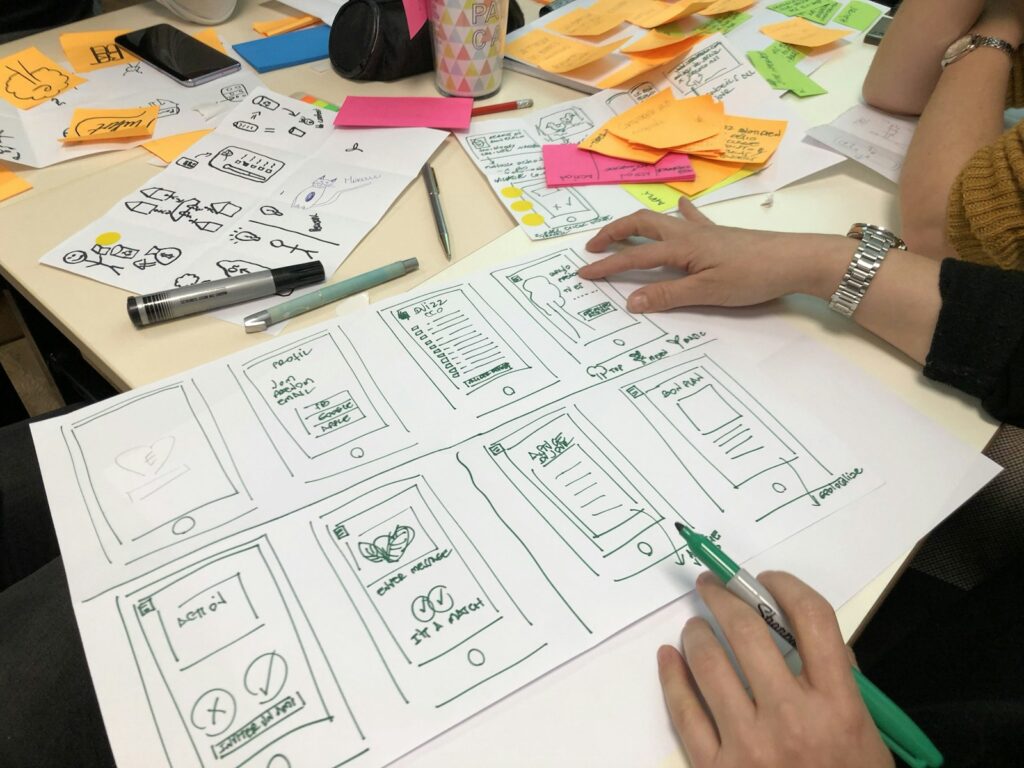
Featured image: illustrative workshop photograph by Amélie Mourichon on Unsplash, used under the Unsplash License.