
A customer portal takes too long to use. A SaaS product needs more explanation with every release. A business website no longer makes the offer clear. The brief arrives as a familiar request: “We need a redesign.”
Redesign when the experience is the main obstacle. Improve a specific part when the problem is contained. Consider a rebuild when the foundations prevent necessary change. If you cannot yet tell which applies, start by investigating the problem.
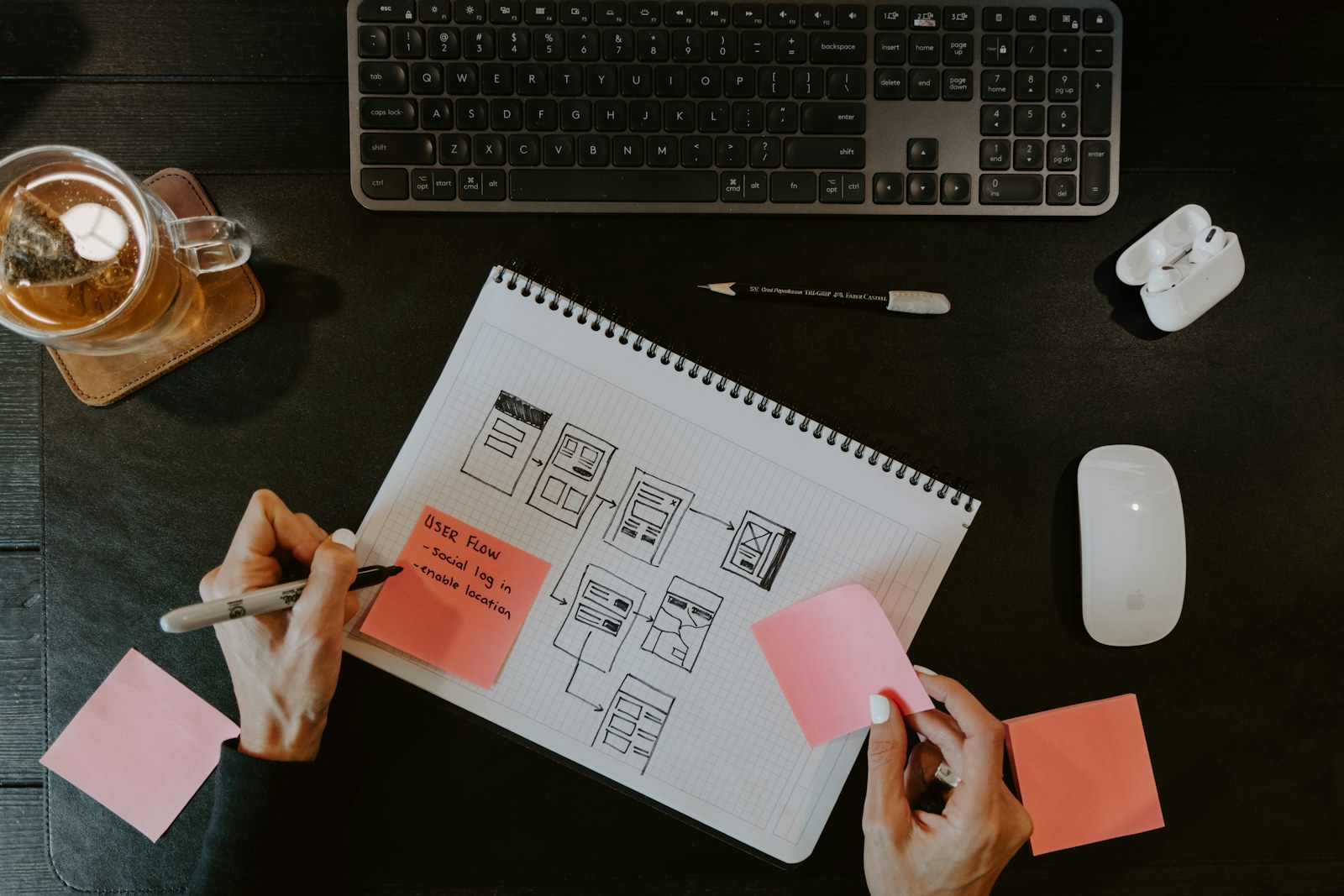
What does a digital product redesign actually change?
A redesign changes how people understand and use a product. That can include its information architecture, navigation, content, task flows and interface. It may involve substantial development, but it does not automatically require replacing the entire system.
A visual refresh is narrower: typography, colour, imagery and presentation. It can address an inconsistent or dated appearance. It will not, by itself, remove a confusing approval process or make unreliable data trustworthy.
Modernisation is broader. It can combine UX improvements with changes to software, integrations and operating processes. A rebuild replaces substantial parts of the implementation. These options can overlap; the useful question is how much change the evidence justifies.
Start with the problem behind the request
Before choosing a deliverable, complete this sentence: “For [a specific group], [a task] is difficult because [an observed obstacle], which affects [a business outcome].”
Consider a hypothetical SaaS team. New account administrators repeatedly ask support how to invite colleagues. “The dashboard looks dated” is an opinion. “Administrators cannot find the invitation step during setup” is a problem you can investigate. It might call for clearer navigation, a different onboarding sequence or a permissions fix. A full rebuild would need a separate justification.
This is the role of discovery. Nielsen Norman Group describes discovery as investigating the problem and gathering evidence to guide what happens next. Its scope includes users, business objectives and technical constraints.
Business: what needs to work better?
Name the outcome before discussing screens. For a SaaS product, that might be helping new accounts reach a useful first result. For a customer portal, it might be enabling customers to complete a request without staff intervention. For a business website, it might be making the offer clear enough to attract relevant enquiries.
Choose a primary outcome and record the current position. If the measurement is missing, say so and establish a baseline. A target without a definition gives the team little basis for deciding whether the work helped.
Users: where does the experience break down?
Watch representative users attempt the important task. Combine those observations with support questions, product analytics and conversations with customer-facing colleagues. Analytics can show where people stop; observation can help explain why.
Separate different audiences. A first-time administrator, a daily operator and an occasional approver may experience the same product very differently. Check keyboard use, clear labels, error recovery and the devices people actually rely on.
Technology: what prevents the next useful change?
Ask developers to identify concrete constraints: unsupported components, unreliable integrations, inaccessible data, slow responses or changes that repeatedly break other workflows. An unfamiliar framework is not enough to justify replacing a working system.
Trace each constraint to its consequence. If a slow reporting screen is caused by a database query, replacing its visual design will not address that cause. If users misunderstand a label, a new backend is unlikely to help.

Redesign, improve or rebuild: how to choose
Choose a redesign when the experience is the main constraint
A redesign is worth exploring when users struggle across connected journeys: the navigation reflects internal departments, similar actions behave differently, or the product has grown beyond its original structure.
Start with the journeys that matter most. Test a proposed structure and prototype with representative users before extending it across the interface. A design system can then help keep recurring components and behaviour consistent as implementation progresses.
Evidence to look for: repeated usability problems across tasks, unclear information hierarchy and inconsistent interactions. Confirm that the underlying system can support the proposed experience.
Choose targeted improvements when the problem is contained
If most of the product works, a focused change may be the right next investment. Examples include simplifying one form, improving search filters, clarifying an error message or fixing an integration that creates duplicate work.
Define the affected task, agree how to evaluate it and release a bounded improvement. Review the result before expanding the scope. This gives the team a concrete way to learn without committing every part of the product to a redesign.
Evidence to look for: a specific failure point, a usable foundation and a change that can be delivered and assessed independently.
Consider a rebuild when the foundations block necessary progress
A rebuild becomes a serious option when the existing implementation cannot reasonably support essential requirements. Examples might include an unsupported core platform with no viable upgrade path or a data model that cannot accommodate the business process the product now needs.
Compare replacement with repair using the full cost of transition: data migration, integrations, parallel operation, staff training, customer communication and ongoing maintenance. Include the work needed to preserve behaviour people still depend on.
Evidence to look for: documented constraints tied to necessary outcomes, an assessment of alternatives and a credible migration plan. “Starting fresh” is not an investment case.
Modernise in stages where the system allows it
Rebuilding does not have to mean switching everything at once. An established business may need the current product to keep serving customers throughout the transition.
Martin Fowler’s Strangler Fig approach describes replacing legacy functionality gradually. It requires finding boundaries where parts can be separated and accepting some temporary work so old and new can coexist. It is an option to assess, not a universal prescription.
For a hypothetical customer portal, a team might replace document submission first, connect it to the existing account system and learn from that release before tackling billing. The sequence should follow dependencies and user needs. If the components cannot be separated safely, that needs to be understood before promising a phased rollout.
Every migration needs clear ownership, checks that records and permissions remain correct, and a recovery plan. A polished new interface is only part of a successful transition.
Write a useful brief before asking for a proposal
A useful brief makes the decision understandable to the people who will design and build the change. Keep the first version short enough that stakeholders can review it together.
The problem: Who is affected, what are they trying to do, and what evidence shows the obstacle? Include the source of each observation and distinguish facts from assumptions.
The desired outcome: What should become easier or more reliable? Define the measure, its baseline and who owns it. For example, define exactly what counts as a successfully completed request before reporting a completion rate.
The constraints: What must continue working? Record critical integrations, data ownership, accessibility needs, release windows, internal capacity and the available budget range.
The first decision: What is still uncertain? Agree whether the next step is research, a prototype, a technical investigation or implementation. Identify what you need to learn before committing to the wider scope.
The evaluation: Who will review the result, when will they review it, and what would justify continuing, changing direction or stopping? Include safeguards such as errors, support demand and disruption to existing customers.
Keep strategy, design and development connected
These decisions need business context, user understanding and implementation knowledge in the same conversation. A technically feasible idea may still solve the wrong problem. A promising design may depend on changes that the current system cannot support.
At greshio, strategy, design and development form one connected approach to shaping, building and improving digital products. The starting point is what needs to change for the business and its users. The scope follows from that understanding.
You can also explore the digital assets marketplace project for an example of work spanning brand identity, UX/UI design and web development.
Have a product that needs to work better?
Tell us what your customers or team are struggling with, what the product needs to achieve and what is making change difficult. Whether the next step is discovery, a focused improvement or a wider modernisation, the conversation starts with the problem.